Groups provides Blocks that are used to show content based on memberships.
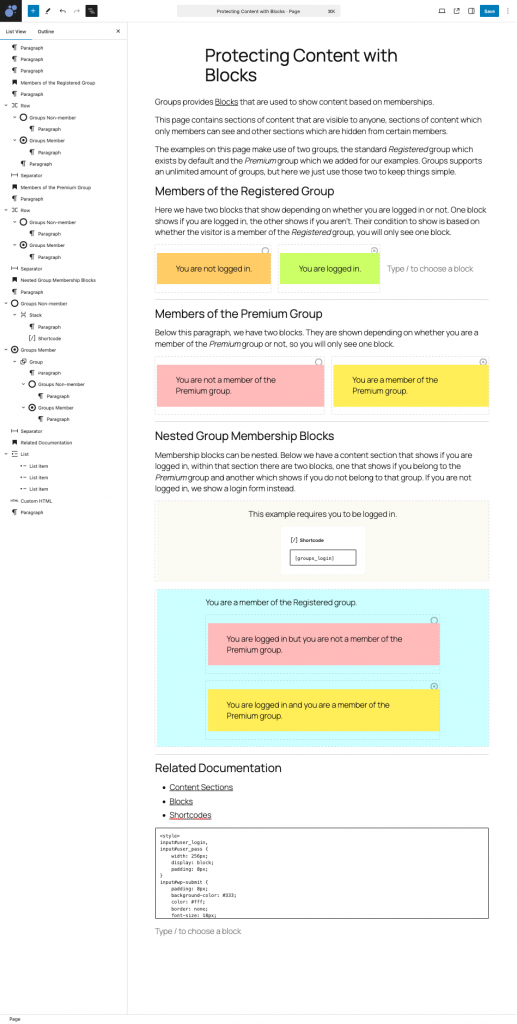
This page contains sections of content that are visible to anyone, sections of content which only members can see and other sections which are hidden from certain members.
The examples on this page make use of two groups, the standard Registered group which exists by default and the Premium group which we added for our examples. Groups supports an unlimited amount of groups, but here we just use those two to keep things simple.
Members of the Registered Group
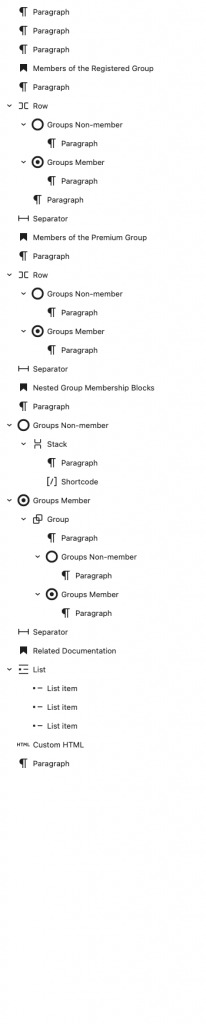
Here we have two blocks that show depending on whether you are logged in or not. One block shows if you are logged in, the other shows if you aren’t. Their condition to show is based on whether the visitor is a member of the Registered group, you will only see one block.
You are not logged in.
Members of the Premium Group
Below this paragraph, we have two blocks. They are shown depending on whether you are a member of the Premium group or not, so you will only see one block.
You are not a member of the Premium group.
Nested Group Membership Blocks
Membership blocks can be nested. Below we have a content section that shows if you are logged in, within that section there are two blocks, one that shows if you belong to the Premium group and another which shows if you do not belong to that group. If you are not logged in, we show a login form instead.
This example requires you to be logged in.
Related Documentation
Blocks and Composition of this Page